A stream matrix you can read at a glance
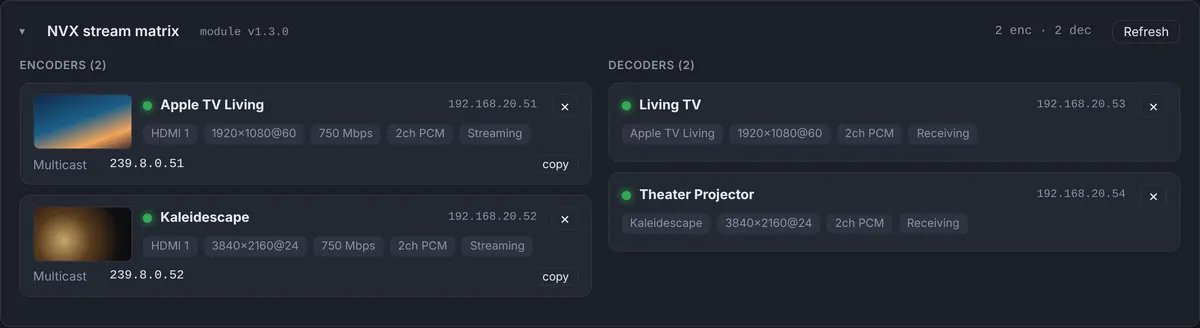
The NVX panel splits every site’s endpoints into encoders and decoders. Each encoder shows its name, IP address, input, resolution, bitrate, audio format, streaming status and the multicast address it is sending to, with a copy button for the address. Each decoder shows which source it is receiving, its resolution and audio, and its status.
Encoders can also send a small preview image of what they are streaming, so you can see that the Apple TV is on the home screen or that the cable box is showing an error, without asking the client to describe it.
What each endpoint reports
- Role: encoder or decoder.
- Source and input: which HDMI input an encoder is using, and which encoder a decoder is following.
- Video and audio: resolution and frame rate, and the audio format.
- Stream: status, bitrate, multicast address and RTSP address, and the AES67 audio address where used.
- Online state and the time of the last update.
When a display is black, this usually answers the question in one look: the decoder is following the wrong encoder, the encoder has no input, or the encoder is fine and the problem is on the display side.
Offline alerts for every endpoint
NVX endpoints are IP-ID devices in the processor’s program, so they appear in the IP table that the processor reports every minute. You can add a device offline alert for any of them, such as the main living room decoder or the encoder feeding the theater. When it drops off, you and your team get a push notification and email, and the event log records when it disconnected and reconnected.
A flapping endpoint, one that connects and disconnects every few minutes, is easy to spot in the event log. It almost always points to a network port, a cable or a power problem rather than the NVX itself.
NVX on Crestron Home
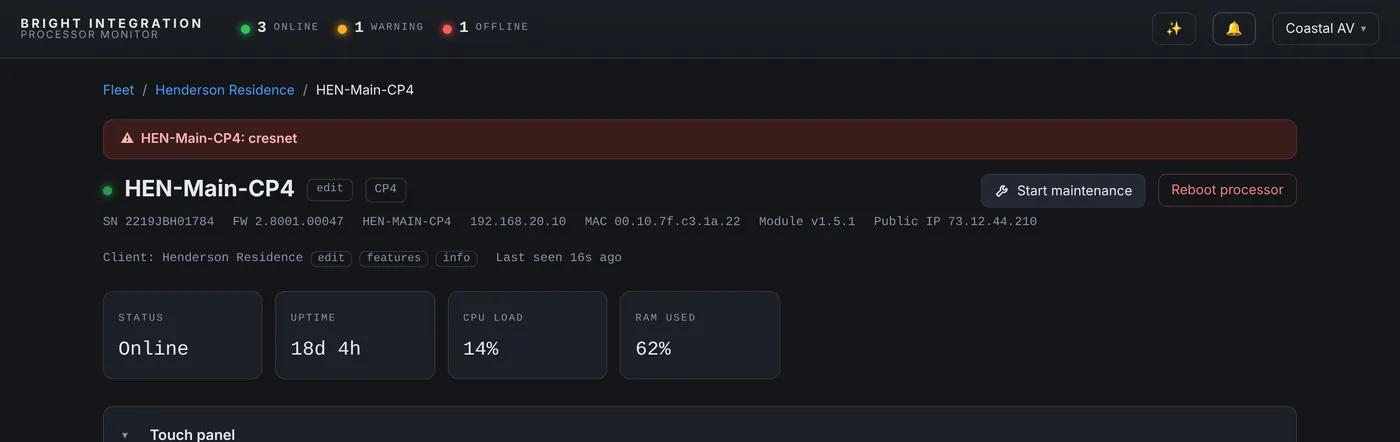
On Crestron Home processors, the Crestron Home driver lists each NVX endpoint with its name, room, role and online state, and the multicast address when it is available. The source line follows the state of the room the endpoint belongs to, so a decoder in a room that is off reads “Room off”. We explain why that is the right answer, and when it can look confusing, in this post.

Video problems are often something else
A black screen is a symptom. The cause can be a network switch that restarted, a WattBox outlet that cycled, a processor that rebooted or a program that stopped. Processor Monitor keeps all of those in one event log per processor, so the NVX disconnect and its cause appear side by side. See WattBox monitoring and 4-Series processor monitoring for the rest of the picture.
What you need
NVX monitoring uses the Bright NVX module on 4-Series processors, which reports the endpoints in your program to the dashboard through the agent. No NVX login is stored in the cloud. On Crestron Home, the Crestron Home driver reports NVX on its own.
Previews on a phone
Most video calls come in when you are not at a desk. The encoder previews are small enough to load quickly on a phone, so you can check from the driveway or between jobs whether a source is actually sending a picture, and tell the client what is wrong before anyone touches a cable.
The video calls this answers
“The family room TV is black”
Open the site’s NVX panel. If the family room decoder is offline, the problem is power or network to the decoder, and the event log shows when it dropped. If it is online and following an encoder, look at that encoder’s preview. A preview with a picture means the stream is fine and the issue sits between the decoder and the display, such as the TV input or the HDMI cable. An encoder with no input means the source itself is off or unplugged.
“Every TV lost the cable box”
When several decoders lose the same source at once, the encoder is the common point. Check whether it is online, whether it has an input, and whether its WattBox outlet or the switch it is on went down at the same time.
“The picture keeps cutting out”
Intermittent dropouts show up as repeated disconnects of the same endpoint in the event log, each with its time. Matching those times against other devices on the same switch often points to the switch, a port or a cable, so you arrive with the right part instead of diagnosing on site.
Setting it up
- Add the Bright NVX module to the 4-Series program alongside your NVX endpoints.
- Load the program. The module reports through the Bright Monitor Agent already on the processor, so there is nothing else to enroll.
- Choose the endpoints that matter most and add device offline alerts for them from the Alerts panel.
On Crestron Home, nothing extra is needed beyond the Crestron Home driver.
Questions
Does the dashboard show live video?
No. Encoders can send a small preview image of what they are streaming, refreshed periodically. It is meant for troubleshooting, not for watching.
Can I get an alert when an NVX goes offline?
Yes. Add a device offline alert for any NVX IP-ID from the Alerts panel.
Does this work with NVX on Crestron Home?
Yes, through the Crestron Home driver, with name, room, role and online state.
Is an NVX login stored in the cloud?
No. The module on the processor reports the endpoints; the dashboard never connects to them directly.
Can I see NVX and Crestron Home endpoints together?
Yes. SIMPL and Crestron Home sites appear in the same dashboard, each with its own NVX panel and the same offline alerts.
Part of Processor Monitor, the Crestron monitoring dashboard for dealers. $99 per processor per month, every feature included.