A Crestron console without a VPN
Type a command in the dashboard, such as ver, ipt -t or err, and the answer comes back in a few seconds. The command is not sent to the processor over an open port. The agent on the processor checks for console commands on a fast channel, runs them inside the processor and sends the output back. That is why no VPN, no port forwarding and no processor password are needed, and why nothing about the processor’s login is stored in the cloud.

Dangerous commands are blocked
A remote console should never be able to wipe or lock out a client’s processor by accident. Commands that can do that are refused by the dashboard before they reach the processor, including initialize, restore, format, delete, erase, removing or stopping programs, loading programs, firmware updates, and adding or deleting users, domains, roles and passwords. Crestron accepts abbreviations, so the dashboard blocks those too.
Commands that read a setting, such as ipaddress, hostname or sntp, work as usual. Changing those settings from the console is blocked, because a typo there can cut the processor off the network. Those changes are made on site in Toolbox.
The account owner gets an email when the console is used on one of their processors, at most once an hour per person and processor, with who used it and the first command. If you don’t recognize it, you know immediately.
Restart a program, reboot a processor
- Program restart: each program on the processor has a Restart button. It is the quickest fix for a program that stopped, and the program stopped alert tells you when one does.
- Processor reboot: the Reboot processor button queues a reboot that the processor picks up at its next check-in. It is disabled when the processor is offline, because a processor that isn’t reporting can’t receive it.
- Restart a device: devices on the client’s network can be restarted over SSH from the processor itself. The device login is sealed in your browser with the processor’s own key, handed to the processor once and wiped. The cloud can’t read it. Only private addresses that appear in the processor’s IP table or discovery list can be restarted.
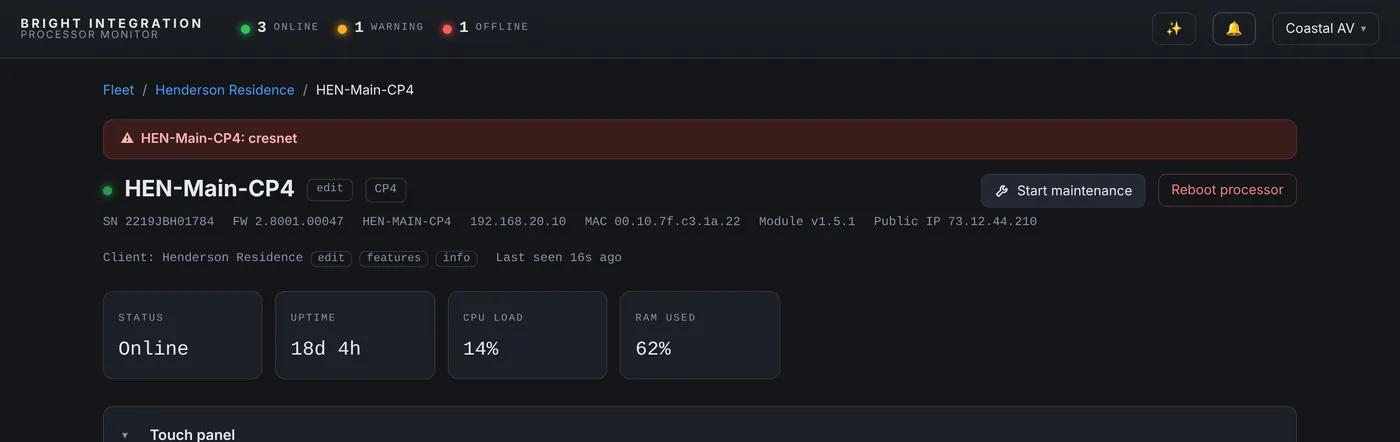
Every restart is written to the event log with who asked for it, and when the processor comes back the restart is labeled as requested from the dashboard, so it isn’t confused with a crash.
Diagnostics on demand
Get diagnostics pulls the processor’s error log and the full IP table into the dashboard, so you can read them on your phone in the driveway. Network discovery lists the devices the processor can see on the client’s network, which is often the fastest way to find a device that changed IP address.
Built so you can give a technician access
- Password check: restarts, reboots and the console ask for your password again if you haven’t entered it in the last 15 minutes, even on a signed-in phone.
- Permissions per person: team members can be limited to certain clients, and the console and reboot or restart rights are off by default for new invites.
- Two-factor and Face ID: sign-in can require an emailed code for the whole team, or use Face ID and passkeys.
- Audit trail: console commands, reboots, restarts and refused commands are all recorded.
Maintenance Mode
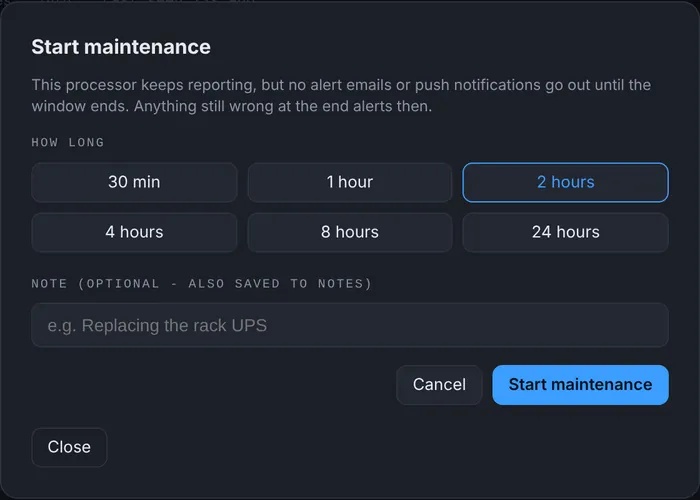
When you are about to work on a system, start Maintenance Mode for the processor or the whole client for 30 minutes up to 24 hours. The processor keeps reporting and the event log keeps recording, but no alert emails or push notifications go out until the window ends. Anything still wrong at the end alerts then.
Before you reboot
A reboot clears the symptom and sometimes the evidence. Reading err and the CPU graph first takes a few seconds, and it is often what tells you whether the problem will come back. The dashboard keeps those details after the restart, so you can look again later.
Commands we use most
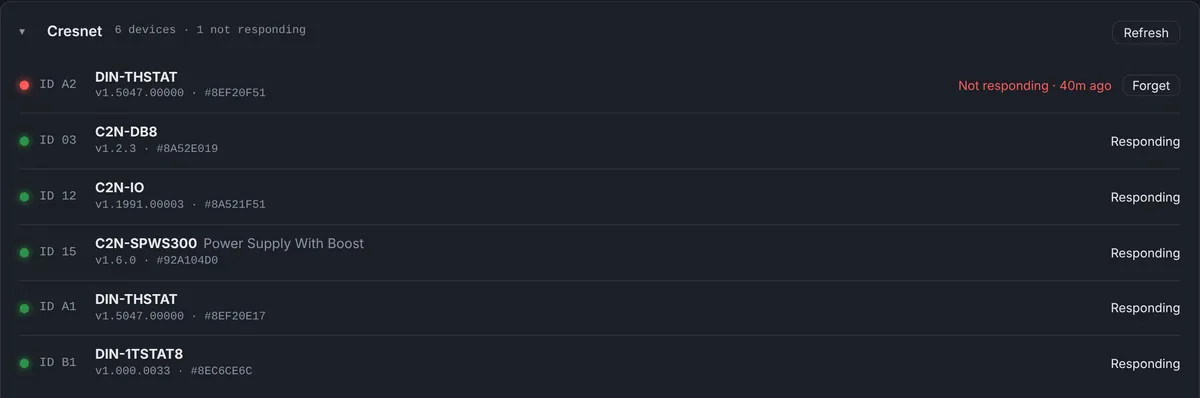
veranduptime: model, firmware and how long the processor has been running.ipt -t: the IP table with each device’s status.err: the error log, the first thing to read after an unexpected restart.progcomments: which program is loaded in each slot and when it was compiled.reportcresnet: every device answering on the Cresnet bus.
The remote fixes this covers
A program that stopped
The program stopped alert names the slot. Press Restart on that program, and the event log records who did it and when it came back.
A processor that is slow or misbehaving
Check the CPU graph and the error log first, then reboot the processor from the dashboard if needed. The restart is labeled as requested, so it never looks like a crash in the history.
A frozen device on the network
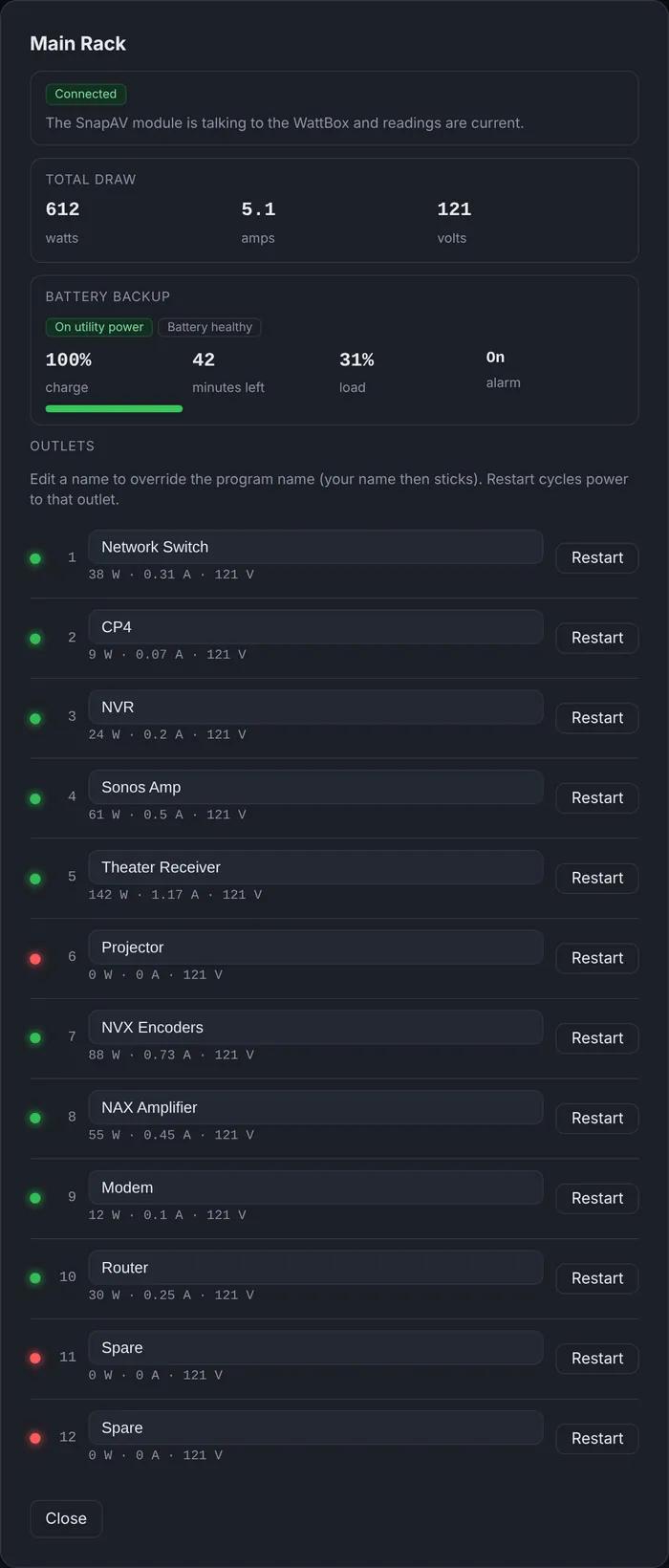
Restart it over SSH from the processor, or cycle its WattBox outlet, without asking the client to find the right plug.
Questions
Is the processor password stored anywhere?
No. Console commands run inside the processor through the agent, so the dashboard never needs the processor login.
Can a technician reboot a client’s processor?
Only if you give them that permission. Reboot, restart and console rights are off by default for new team members.
What happens if I type a dangerous command?
The dashboard refuses it before it reaches the processor and records the attempt.
How fast does a reboot happen?
It is queued and picked up by the processor at its next check-in, usually within a minute.
Part of Processor Monitor, the Crestron monitoring dashboard for dealers. $99 per processor per month, every feature included.